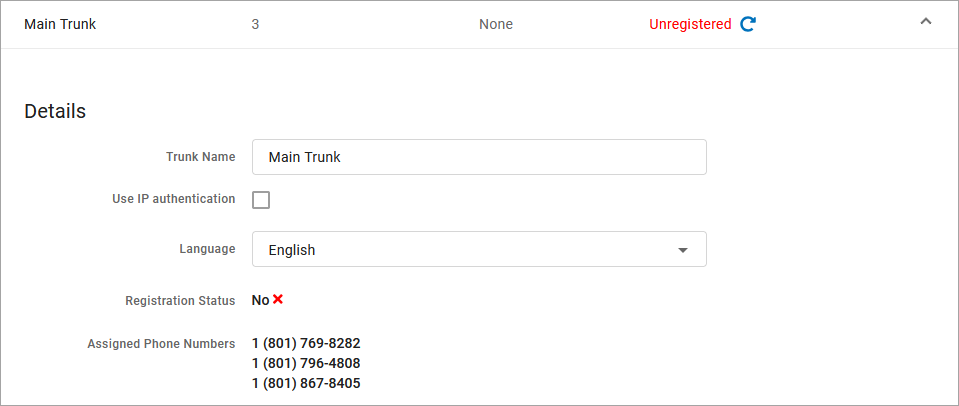
Assign Phone Number to SIP Trunk
If there aren't any phone numbers on the account yet, refer to first.If you do not have access to this page or the number you're looking for is not there, contact your service provider for assistance.
Go to Account > Phone Numbers.
Locate the phone number you want to modify and select
 Edit destination on the right.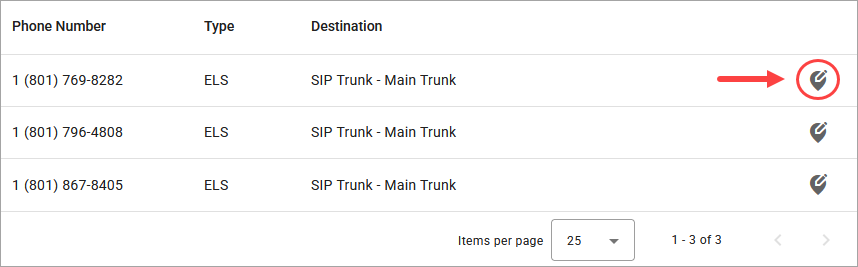
In the Phone Number Destination popup, fill out the following:
Phone number rings to: Select the SIP Trunk which will be assigned to this number.
Priority ring: Select a priority ring tone (optional).
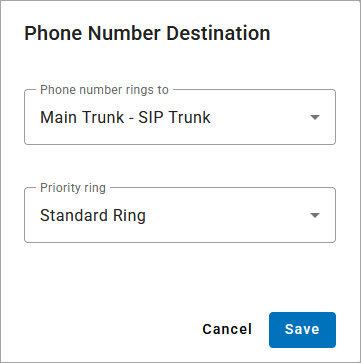
Select [Save]. The phone number will be assigned to the SIP trunk and can be viewed in the Assigned Phone Numbers field in the SIP Trunk's Details section.