Schedule Best Practices
List Custom Rules First
When a call reaches an auto-attendant schedule, it is routed to the first rule that matches the date and time of the call. This means custom rules for holidays and other non-standard hours MUST BE FIRST; otherwise, calls will always match with a weekly rule and may not ever reach the custom rule.
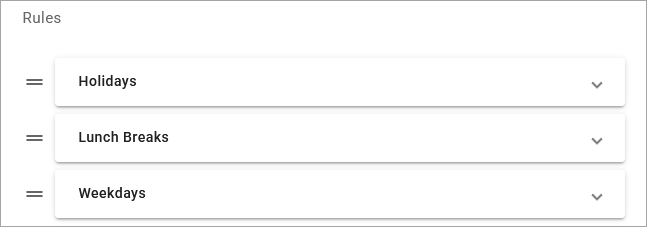
To change the order of your rules, click the icon to the right of the rule and drag it to the correct position in order of most to least restrictive (custom rules before weekly rules).
For example, if you have rules for standard weekly hours, lunch breaks, and holidays, holidays should be listed first. When a call comes in, the auto-attendant will first check to see if the date and time of the call is during a specified holiday, then it will check lunch hours, and finally it will check your weekly rules. If the date and time do not match any rule, the call is routed to the "All other times" rule.
Add Extra Rule(s)
Once a schedule is assigned to an auto-attendant, rules cannot be added, removed, or rearranged, since those changes would break the auto-attendant's call flow. However, you can modify individual Date & Time periods for each rule.
You don't always know what your future holds, so we recommend always including a Holiday route in your schedules, so you can add custom Date & Time period for days off as needed. Additionally the schedule should be listed very first in the auto-attendant to ensure calls go through that check before routing the call to normal business hours.
For even more flexibility, you could also create an "extra" rule that can be configured later, just in case you need it. To save a rule that doesn't need to be active, add a Date & Time period for a date in the past and then assign the rule to your failover route in the auto-attendant.
Review Holidays Yearly
Whether you've set your holidays to repeat every year or not, remember to review the schedule at the beginning of every year to ensure the dates match the company calendar. While most national holidays recur yearly on the same date or day of the week, some holidays will change and your organization may observe different dates.