Line Configuration

IP phones include feature keys that are programmable buttons to customize the actions performed. Line Configuration is how you program the feature keys on the device. Line 1 is the device owner’s main line and is always a Device Line type; it cannot be changed. All other lines are set to Deactivated by default, but another feature can be assigned from here, including Call Park, Device Line, Paging Group, Presence/BLF, Shared Line, and Speed Dial.

For device changes outside of the IP phone line features, please contact Customer Support.

To assign a feature to a line on a user’s device:

  1. Go to either:

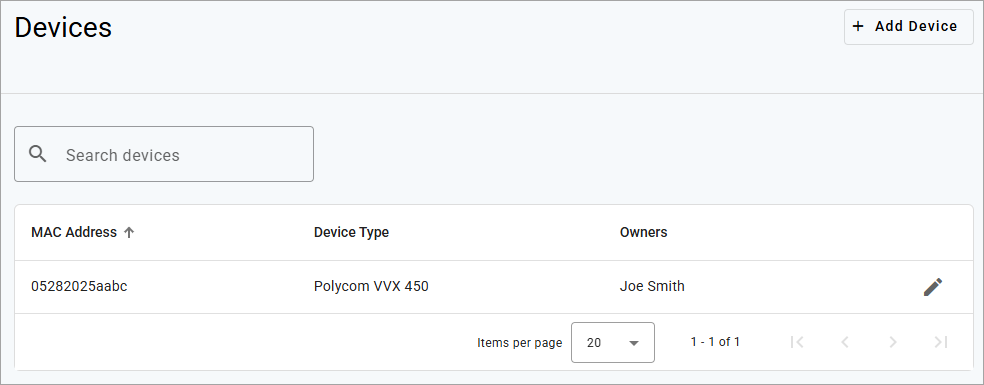
    • Account > Users > Devices

      Account_Devices.png
    • Account > Devices

      Account_Devices.png
  2. Locate the device you want to manage and click pencil icon.png Edit.

  3. Under Line Configuration, select the line you want to assign a feature to.
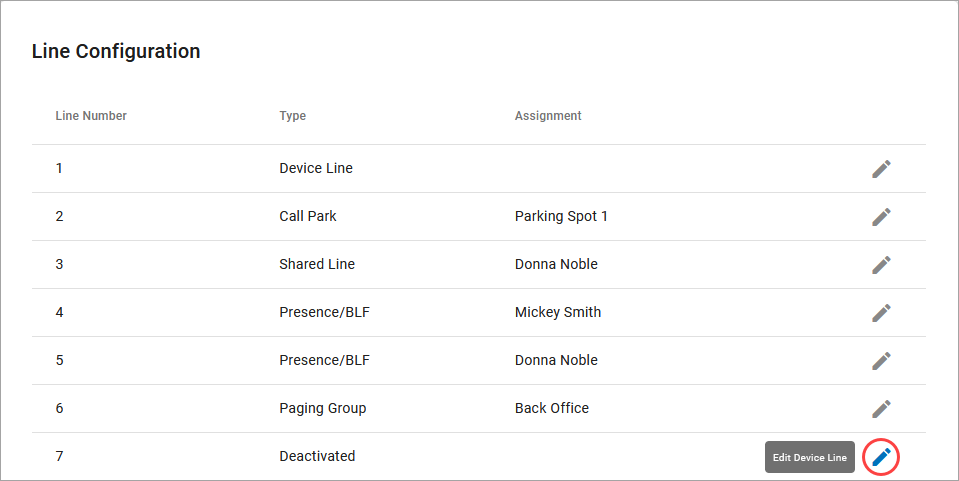
    Device_Line_Configuration.png
  4. Open the menu and select one of the following features:

  5. Click [Save] to apply your changes.

See also: Bulk Line Configuration

A shared line allows this user to receive and place calls as another user from their own phone. Inbound calls ring on both devices and either user can answer it on their IP phone. Outbound calls from the shared line sends the shared user's caller ID. Dialing a star code (for forwarding calls, accessing voicemail, etc.) while on the shared line also affects the assigned user.

For users that have been assigned a shared line on another device, that device will be listed in the user’s Devices tab under Referenced Devices.

  • Type: Shared Line

  • Assignment: Select a user

Cymbus Device Line - Shared.png

Example of a Shared Line

In the first image, when we edit Sarah Jane's device, we see that Line 3 is shared with Donna Noble.

Device Line Shared 1.png

In the second image, we see in Clara’s Devices tab that the Cisco 8851 belonging to Sarah Jane is shown in the Referenced Devices section.

Device Line Shared 2.png

Speed Dial type allows you to configure quick one-touch dialing from your IP phone. Speed Dial can be configured to dial other users on your account, an outside phone number, or a star code for Pick Up Group star code.

  • Type: Speed Dial

  • Assignment: Choose a user from the list

Cymbus Device Line - Speed Dial.png

Custom Speed Dial

This will allow you to speed dial an outside line or a star code, like a Pick Up Group.

  • Type: Speed Dial

  • Assignment: Custom Speed Dial

  • Speed Dial: Enter a star code or a phone number or star code + phone number (*0018005551234). Up to 30 digits max.

  • Speed Dial Display Name: Enter a name for the group that will be displayed on your phone for the line.

Cymbus Device Line - Custom Speed Dial.png


[1] Only shown if a custom configuration has been set for this line via Phonism, a third-party device configuration service. Contact your service provider for details.