Advanced Shared Line
Advanced Shared Line, also known as Shared Line Appearance, enables a group of up to 35 IP phones to monitor and share the same target line. Any phone in the group can make and receive calls, hold and resume held calls, and park and retrieve parked calls using the shared line.
The configuration of the target line determines how the line functions for users in the group. For example, if the target line is configured as a Device Line, any user with the shared line reference on their device can make and receive calls, place calls on hold, and retrieve held calls using that line. If the shared line is configured as Call Park, users in the group can park and retrieve calls using the parking spot. See Line Configuration for details.
The line status is updated across all shared devices in real time. Incoming calls ring on all devices, and any user can answer. When the shared line is busy, it appears as busy on all devices, and no one else in the group can make or receive a call on that line. Additionally, if the target device line loses registration, incoming calls will still ring to the line on the shared devices.
One device can be assigned as many Advanced Shared Line references as needed, making it an especially useful feature for administrative assistants or receptionists who regularly handle calls for other users.
| 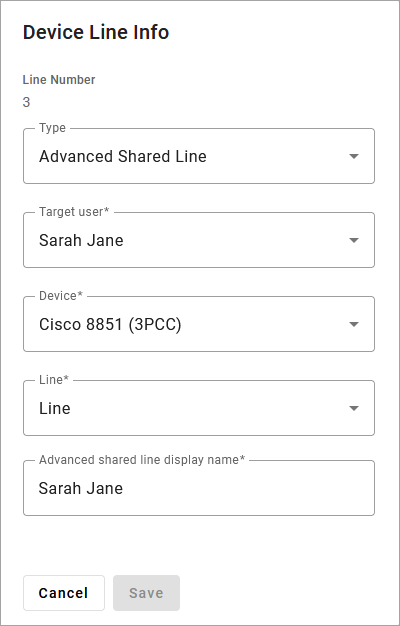 |
Shared Line vs Advanced Shared Line
A Shared Line can be referenced on only one device and enables speed dialing between users, while an Advanced Shared Line can be referenced on and shared by up to 35 devices. Both types enable the user(s) with the referenced line to monitor the status of the target line.
Key System Emulation
The Advanced Shared Line feature can be used to emulate a key system in which all phones have the same lines instead of extensions.
On all devices, Line 1 is reserved for the device itself and cannot be assigned a feature. However, it can be referenced on another device as an Advanced Shared Line. The name displayed on the device for Line 1 is the username on their account; however, the name can be customized on each shared device when configuring the Advanced Shared Line.
In the example below, we have three phones, each of which has a shared line for the other two, and Line 4 is a shared parking spot which is owned by the first phone.
Phone 1 — Sarah | Phone 2 — Rose | Phone 3 — Donna | |
|---|---|---|---|
Line 1 | Phone 1 — Sarah | Phone 2 — Rose | Phone 3 — Donna |
Line 2 | Phone 2 — Rose | Phone 3 — Donna | Phone 1 — Sarah |
Line 3 | Phone 3 — Donna | Phone 1 — Sarah | Phone 2 — Rose |
Line 4 | Parking Spot (Target) | Parking Spot (ASL) | Parking Spot (ASL) |