Intercom with Auto Answer
Intercom allows users to establish two-way communication between devices without requiring the recipient to manually answer the call. It is typically used in scenarios where immediate and hands-free communication is desired, such as door entry systems and office to classroom interactions.
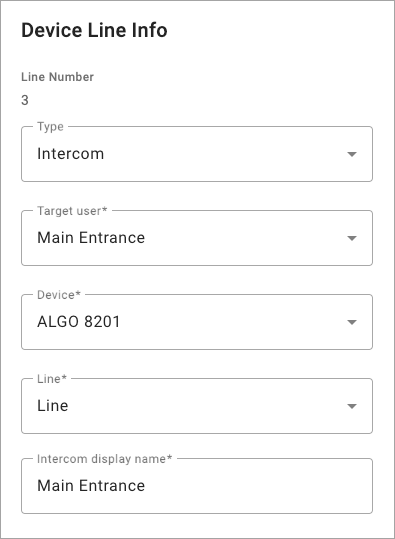
The intercom feature key can be configured to dial only one user and one device, which is typically a line on another user’s phone. It cannot be assigned to groups. However, it could be assigned to a dedicated doorphone or speaker device, such as those from Algo, to increase the reach of audio alerts and notifications in larger spaces where two-way communication is useful.
|  |
Use Intercom Feature Key
Press the line key assigned to dial the target user’s device.
The target user’s device beeps twice before automatically answering the call on speakerphone.
If the target user is on an active call, the call follows their Call Waiting settings.
If the target user has Do Not Disturb enabled, the caller is routed to voicemail or hears a busy tone.
When the call is finished, either party can end the call.